Quick Answer
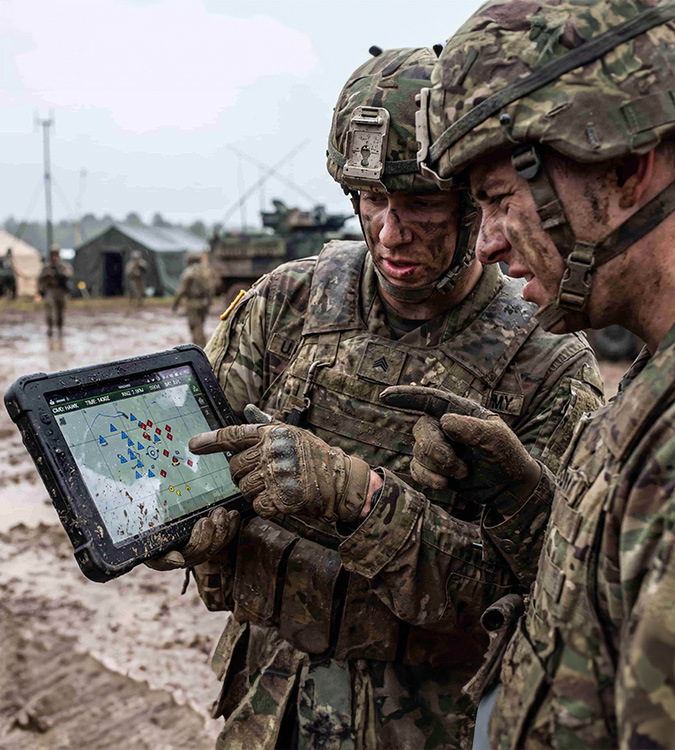
Outdoor display readability depends on more than display brightness. Ambient light, total reflection, specular reflection, viewing angle, screen content, and the complete optical stack all affect what an operator can actually read. A practical evaluation should use representative screens and defined operating conditions rather than luminance alone.
- Brightness is only a baseline condition
- Reflection reduces perceived contrast
- Acceptance criteria must reflect actual use
- Evaluate the full optical stack
Why Can a High-Brightness Outdoor Display Still Be Hard to Read?
Brightness is often the first specification considered for an outdoor display. Higher luminance helps the screen compete with ambient light, particularly under direct sunlight. Yet a bright display can still become difficult to read when reflected light raises the apparent black level or covers critical screen areas.
Outdoor readability is shaped by the relationship between the display, the surrounding light sources, the installed angle, and the user’s viewing position. When these conditions are overlooked, the display may meet its brightness target while important text, dark graphics, warning messages, or navigation information remain hard to distinguish.
What Is the Difference Between Total Reflection and Specular Reflection?
Reflection affects readability in different ways. Total reflection creates a general veil of light across the display surface. Specular reflection creates a visible mirrored image of a bright source, such as the sky, a window, a lamp, the sea surface, or surrounding equipment. Both can reduce readability, but the risks they create are different.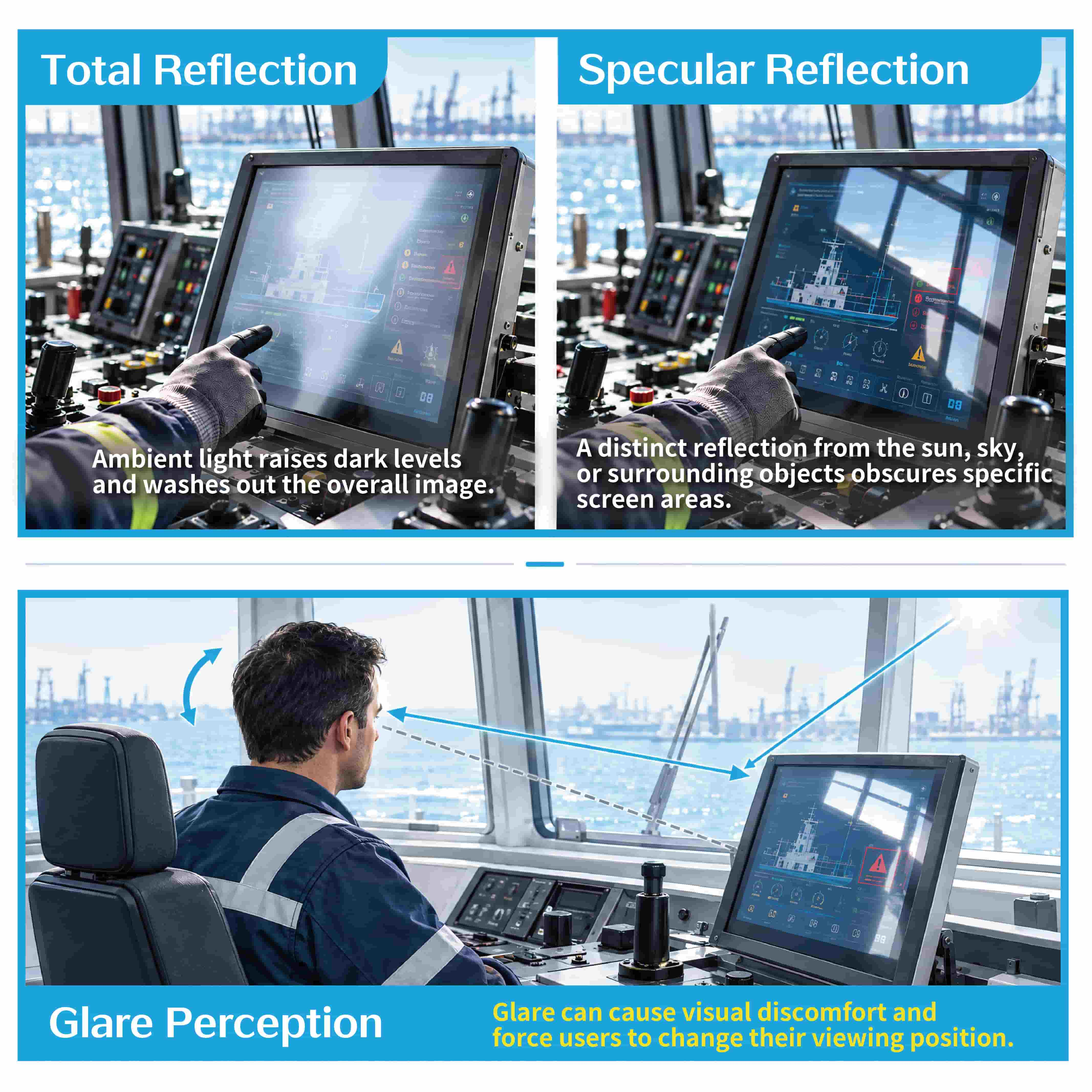 The same HMI can be affected differently by total reflection and specular reflection as viewing angle and surrounding light conditions change.
| Reflection Type | What the User Sees | Effect on Readability |
|---|---|---|
| Total reflection | A general layer of reflected ambient light across the screen surface. | Raises the apparent black level and reduces overall contrast, especially in dark content. |
| Specular reflection | A distinct mirrored image of a bright source, such as the sky, a window, or nearby equipment. | Can obscure a local part of the screen and make important information difficult to identify at a specific angle. |
| Polarization-related effects | Brightness or color changes when the display is viewed through polarized eyewear. | Can affect readability in applications where polarized sunglasses or protective eyewear are used. |
How Should Ambient Contrast Be Evaluated?
Outdoor readability should be assessed through a repeatable process that reflects the actual operating risk. The goal is to confirm whether users can recognize the information they need under representative lighting and viewing conditions.
-
1Confirm the use scenario
Define whether the system will be used outdoors, in a semi-outdoor location, on a vessel bridge or deck, or near a window. Include relevant risks such as noon sunlight, low-angle morning or evening light, backlighting, and reflections from surrounding surfaces.
-
2Define the reading task
Identify the smallest text, key icons, warning messages, map lines, dark images, and other information that users must recognize. A generic white test screen cannot represent all readability risks.
-
3Set lighting and viewing conditions
Record the light direction, display tilt, user eye position, operating distance, and nearby reflective objects. These factors influence whether the reflection appears as diffuse washout or a concentrated mirrored image.
-
4Assess representative screens
Use production screens or representative equivalents. Confirm whether users can quickly identify critical content under the defined conditions, including dark information, small details, and time-sensitive alerts.
-
5Record and compare results
Document the lighting conditions, photos, display configuration, screen revision, test records, and judgment criteria. This creates a repeatable basis for prototype reviews, supplier communication, and production acceptance.
Define Acceptance Conditions Before Evaluating Outdoor Readability
Acceptance criteria should be agreed before samples are reviewed. Without defined conditions, one party may assess a front-facing white screen indoors while another expects clear warning recognition under reflected daylight in the final installed product. A shared test matrix helps all project parties evaluate the same requirement.
| Item | What to Record | Why It Matters |
|---|---|---|
| Operating environment | Outdoor or semi-outdoor location, shading, possible reflection sources, and expected operating time window. | Keeps the test exposure close to the actual use risk. |
| Lighting conditions | Light source type, direction, distance, illuminance, or an equivalent controlled condition. | Supports repeatable comparison between samples and test rounds. |
| Viewing conditions | Operating distance, line of sight, installed tilt angle, and polarized eyewear where relevant. | Verifies reflection behavior and polarization compatibility. |
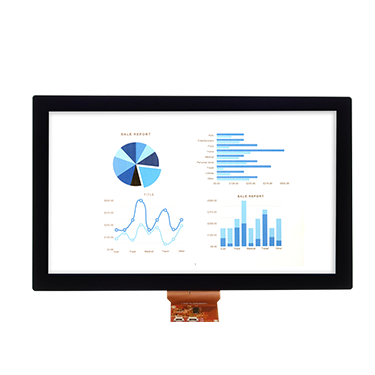
| Test screen | Representative text, icons, alerts, maps, imagery, and other required information. | Prevents a white test screen from masking low-contrast readability issues. |
| Acceptance method | Items to be identified, permitted recognition time, photographs, and test records. | Creates a shared acceptance language for all project parties. |
Evaluate Outdoor Readability Across the Full Optical Stack
Outdoor readability is affected by the display module, cover lens, surface treatment, adhesive layer, touch structure, air gaps, and mechanical integration. Evaluating a single layer in isolation can overlook interactions that only appear after the full stack is assembled.
Increasing brightness, applying anti-reflective treatment, using an anti-glare surface, adding optical bonding, or adjusting the installed angle may all contribute to readability. The suitable approach depends on the application, the optical stack, and the surrounding environment.
| Design Option | Primary Issue Addressed | What to Confirm Alongside It |
|---|---|---|
| Increase display brightness | Improves screen luminance under high ambient light. | Power, thermal load, lifetime, and whether reflected light still limits dark-tone contrast. |
| Anti-reflective treatment | Reduces reflection at selected optical interfaces. | Durability, cleaning requirements, process compatibility, and performance after environmental exposure. |
| Anti-glare surface | Diffuses concentrated reflections and reduces mirror-like images. | Image haze, sparkle, perceived sharpness, and whether fine UI elements remain clear. |
| Optical bonding | Reduces reflection from air gaps between optical layers. | Material selection, optical uniformity, rework approach, and long-term reliability requirements. |
Use One Acceptance Matrix to Align Engineering and Procurement
Outdoor readability decisions often involve system engineers, mechanical designers, procurement teams, display suppliers, and end users. A clear acceptance matrix helps ensure that important operating conditions are retained from the specification stage through quotation, sample review, and final approval.
| Field | Project Input | Responsible Party |
|---|---|---|
| Use context | Operating environment, installation location, orientation, and exposure conditions. | System OEM |
| Reading tasks | Critical text, icons, alerts, maps, and required response time. | System OEM and end users |
| Optical conditions | Light source, direction, viewing angle, polarization, and reflective surroundings. | Engineering team |
| Sample stack | Display, cover lens, touch structure, bonding, surface treatment, and mechanical assembly. | Supplier and engineering team |
| Acceptance evidence | Test conditions, photographs, records, acceptance criteria, and revision tracking. | Joint project team |
Outdoor Display Readability FAQs
1. Why can’t we simply increase display brightness?
Higher brightness can improve visibility in bright ambient conditions, but it does not eliminate reflected light. When reflections raise the apparent black level or create a strong mirrored image, dark content and local screen areas can remain difficult to read.
2. Which matters more: total reflection or specular reflection?
Both matter, but they create different risks. Total reflection reduces overall contrast across the screen. Specular reflection can obscure a specific area with a distinct image of a bright source. The expected operating environment determines which effect requires greater attention.
3. Must outdoor readability be tested on site in direct sunlight?
On-site testing can be valuable when installation conditions are complex. Controlled test conditions can also be effective when they reproduce the relevant light direction, viewing angle, representative content, and acceptance task in a documented and repeatable way.
4. Why is a full-white test screen not enough?
A white screen may appear bright even when reflected light has substantially reduced the visibility of dark text, fine lines, icons, or warning elements. Representative UI content is needed to assess the tasks users must actually perform.
5. Can anti-reflective treatments or optical bonding always solve readability issues?
They can reduce reflection from specific interfaces, but the final outcome depends on the complete optical and mechanical design. Surface treatment, cover material, air gaps, display brightness, installation angle, and surrounding reflective objects should be evaluated together.
6. Should polarized sunglasses be included in acceptance testing?
Yes, when polarized eyewear is likely to be used in the application. Viewing a display through polarized lenses can change perceived brightness, color, or readability depending on the display and optical stack.
Need support with outdoor display readability, touch integration, cover lens selection, optical bonding, or complete optical stack evaluation? Share your application environment, installation conditions, and operating requirements with the Higgstec team.
Contact Higgstec